24

Is there anyway to enable administrator access instead of having to right click command prompt and run as administrator?

I tried runas /user:administrator CMD (prompts for password) net user administrator /active:yes (System error 5 has occurred. Access is denied.) runas /user:administrator luaexec.exe -w -f cmd.exe /k

This is on my local machine running windows 8 and have no passwords on any accounts

nhat
  • 373

3 Answers3

5

You can't change the permission from a current CMD.exe. You have to restart it. This is a Windows limitation. I use NirCmd with the elevate switch to start tools elevated.

magicandre1981
  • 98,168
  • 30
  • 181
  • 248
  • no "su" equivalent then? heh. figures. – Michael Feb 06 '23 at 02:06
  • Completely forgot that was a feature of NirCmd. Any idea if this works on Windows 11 (I will http://tryitands.ee if you don't already know the answer)? Alternatively, I've had pretty good luck with this, which uses powershell to launch an elevated Command Prompt in the current directory. powershell.exe -Command "Start-Process cmd \"/k cd /d %cd%\" -Verb RunAs" You might be able to elevate other processes the same way in Windows 11, just swapping out the name of the process after "Start-Process". – Twisted Code May 28 '23 at 20:35
0

It is not built in to Windows, but you could use the psexec command from PsTools:

psexec -h cmd
  • 2
    How to run this from usual (non-admin) CMD? Is it possible? – Suncatcher Dec 10 '17 at 10:25
  • 1
    No it is not possible. psexec installs temporary service with -h and it requires admin privileges to do that... It is chick and egg problem. Just use Ctrl + Shift + Enter from Windows search results. – gavenkoa Jun 11 '21 at 21:56
0

Try the following.

  1. Locate the command prompt (cmd.exe).
  2. Right click on the file, go to Send To - Desktop (create shortcut). enter image description here
  3. Right click on the file again and go to Properties.
  4. The target field put:

    C:\Windows\System32\runas.exe /noprofile /user:Administrator cmd

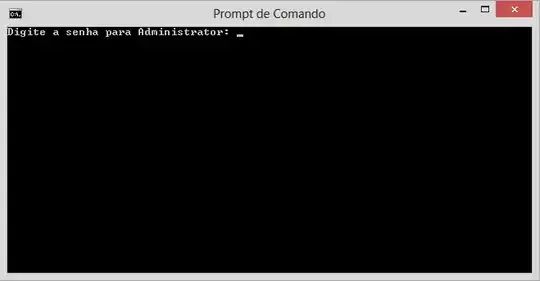
  5. Open the shortcut, the following screen will be presented to you. enter image description here
stderr
  • 10,394
  • 2
  • 32
  • 49
  • Unfortunately I'm trying to run a script to update IP addresses and what's preventing the command from executing is the cmd.exe needs to be in admin. It would be time consuming to go to every computer to do this. – nhat Mar 30 '14 at 16:20