24

Any idea why yshift doesn't work in the following TikZ example?

\documentclass{minimal}
\usepackage{tikz}
\begin{document}

\begin{tikzpicture}
  \coordinate (A) at (0,0);
  \coordinate (B) at (2.5,0);
  \draw (A) -- (B);
  \draw[yshift=2cm] (A) -- (B);
\end{tikzpicture}

\end{document}
Display Name
  • 46,933
Leo Liu
  • 5,445

3 Answers3

29

It would work with coordinates or if you place the yshift inside the parentheses next to the name A and B:

\documentclass{minimal}
\usepackage{tikz}
\begin{document}

\begin{tikzpicture}
  \coordinate (A) at (0,0);
  \coordinate (B) at (2.5,0);
  \draw (A) -- (B);
  \draw ([yshift=2cm]A) -- ([yshift=2cm]B);
\end{tikzpicture}

\end{document}

Output:

alt text

diabonas
  • 25,784
Stefan Kottwitz
  • 231,401
8

In such a simple case you can use transform canvas:

\documentclass{minimal}
\usepackage{tikz}
\begin{document}

\begin{tikzpicture}
  \coordinate (A) at (0,0);
  \coordinate (B) at (2.5,0);
  \draw (A) -- (B);
  \draw[transform canvas={yshift=2cm}] (A) -- (B);
\end{tikzpicture}

\end{document}

Output:
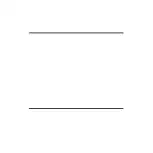
Output

In more complex scenarios make sure to read the warnings in the PGF manual in section 25.4 Canvas Transformations:

Canvas transformations should be used with great care. In most circumstances you do not want line widths to change in a picture as this creates visual inconsistency. Just as important, when you use canvas transformations pgf loses track of positions of nodes and of picture sizes since it does not take the effect of canvas transformations into account when it computes coordinates of nodes.

Malte Schmitz
  • 81
  • 1
  • 2
7

yshift (and similar commands) are applied to all coordinates in the path, not to the path as a whole. They are also not applied to anchors: according to the TikZ manual (section 15.11. in the 2.0 version):

Once the node x has been defined, you can use (x. anchor ) wherever you would normally use a normal coordinate. This will yield the position at which the given anchor is in the picture. Note that transformations do not apply to this coordinate, that is, (x.north) will be the northern anchor of x even if you have said scale=3 or xshift=4cm. This is usually what you would expect.

Caramdir
  • 89,023
  • 26
  • 255
  • 291
  • 2
    I would have thought that \draw[yshift=2cm] (0,0) -- (2.5,0); and \draw[yshift=2cm] (A) -- (B);work the same way, since tikz simply subs (A) and (B) with the respective coordinates before doing the drawing. Note that A and B are defined to be coordinates not nodes. Where is this explained in the manual? – Máté Wierdl Oct 30 '16 at 14:33