The standalone document class does this out-of-the-box, creating a cropped version of the document content. Here's a small example:
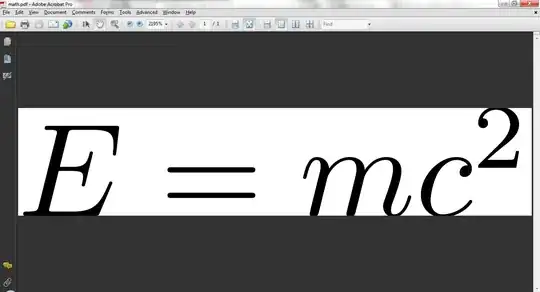
\documentclass{standalone}% http://ctan.org/pkg/standalone
\begin{document}
$E=mc^2$
\end{document}
Setting a border (of whitespace) around the cropped output is as simple as supplying the option [border=<len>] to the document class (where <len> is any known TeX dimension). See the standalone documentation for more options.
If you enjoy pagination and would like to create "a bunch at a time", you could use the multi option/key-value from standalone (example below from Martin Scharrer) or the preview package and wrap each "page" inside a preview environment:

\documentclass[multi=math,border=1]{standalone}
\usepackage{amsmath}% always a good idea when using math
\begin{document}
\begin{math}
  E=mc^2
\end{math}

\begin{math}
  \sin^2x+\cos^2x=1
\end{math}
\end{document}
or
\documentclass{article}
\usepackage[active,tightpage]{preview}% http://ctan.org/pkg/preview
\begin{document}
% PAGE 1
\begin{preview}
$E=mc^2$
\end{preview}

% PAGE 2
\begin{preview}
$\sin^2x+\cos^2x=1$
\end{preview}
\end{document}
Check out the preview documentation for more options.

