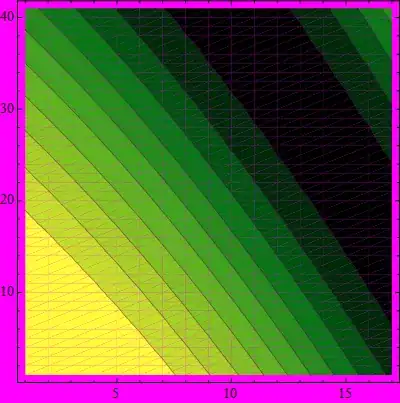
When I set the Antialiasing option in Style, I get the followings:
plot = ListContourPlot[
   Table[Sin[i + j^2], {i, 0, 2, 0.05}, {j, 1.2, 2, 0.05}],
   ColorFunction -> ColorData["AvocadoColors"], Contours -> 10,
   Mesh -> False, ImageSize -> 400];
Grid@{{
   Style[plot, Antialiasing -> Automatic],
   Style[plot, Antialiasing -> True],
   Style[plot, Antialiasing -> False]
   }}
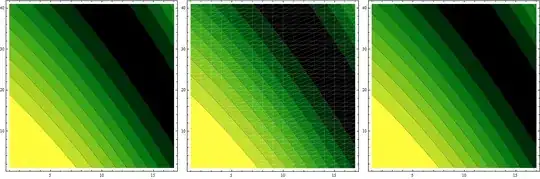
For Antialiasing -> Automatic, everything is fine. Though Antialiasing -> True reveals polygon edges while still maintaining antialias on contourlines, frames, etc. Antialiasing -> False gives a plot where nothing is antialiased and polygon edges are not visible.
There is this thing written in the documentation for [Antialiasing][1]:
With the default setting Antialiasing -> Automatic, choices are made to optimize appearance on each type of computer system.
I would not say this is an optimal appearance. Can anyone tell me the logic/algorithm behind Automatic in this case?