I have the following image with transparency:
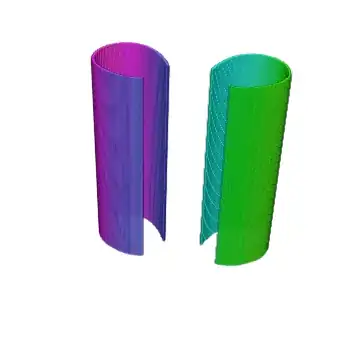
 which I want to paste repeatedly into a 3D space to make it like a tube, something like this (but denser):

I tried using the code from here but it tells me that "Image is not a Graphics3D primitive or directive", and although the code from the question works, it has the same problem as in the question, it is not transparent.
So what should I use to make the transparency render? Or is there a better approach to my problem?
This is the slightly edited code I used:
g = Import["C:\Users\Eric\Desktop\Tube.png"];
Graphics3D[
Table[{{Texture[g],
Polygon[{{0, 0, z}, {0, 1, z}, {1, 1, z}, {1, 0, z}},
VertexTextureCoordinates -> {{0, 0}, {1, 0}, {1, 1}, {0,
1}}]}}, {z, 0, 1, 1/3}], Lighting -> {{"Ambient", White}},
ViewPoint -> {1, 4, 7}]
Edit: I need this to work on 8.0, although Image3D works it is not implemented there, what can I do then?