It turns out ListSurfacePlot3D does a terribly poor job of approximating the surface in the OP, otherwise one will just apply DiscretizeGraphics to the output obtained from ListSurfacePlot3D and be done with it. But since that's not applicable here, we present an approach that uses alpha shapes to approximate the shape of the given point set by tuning a parameter. First a helper function for computing the circum-radius of a tetrahedron (we Compile it and give it the Listable Attribute for speed gains):
circumRadius =
 Compile[{{v, _Real, 2}},
  With[{a = v[[1]] - v[[4]], b = v[[2]] - v[[4]], c = v[[3]] - v[[4]]},
   With[{a1 = Plus @@ (a^2), b1 = Plus @@ (b^2), c1 = Plus @@ (c^2),
     α1 = b[[2]] c[[3]] - b[[3]] c[[2]],
     α2 = b[[3]] c[[1]] - b[[1]] c[[3]],
     α3 = b[[1]] c[[2]] - b[[2]] c[[1]],
     β1 = c[[2]] a[[3]] - c[[3]] a[[2]],
     β2 = c[[3]] a[[1]] - c[[1]] a[[3]],
     β3 = c[[1]] a[[2]] - c[[2]] a[[1]],
     γ1 = a[[2]] b[[3]] - a[[3]] b[[2]],
     γ2 = a[[3]] b[[1]] - a[[1]] b[[3]],
     γ3 = a[[1]] b[[2]] - a[[2]] b[[1]]},
    Norm[a1 {α1, α2, α3} + b1 {β1, β2, β3} + c1 {γ1, γ2, γ3}] /
         (2 Norm[Plus @@ (a[[1 ;; 3]] {α1, α2, α3})])]
   ],
  CompilationTarget -> "C", RuntimeOptions -> "Speed",
  RuntimeAttributes -> {Listable}, Parallelization -> True]
And now the code to compute the alpha shape:
alphaShapes[points_, crit_] :=
 Module[{alphacriteria, del = Quiet @ DelaunayMesh @ points, tetras,
         tetcoords, tetradii, selectExternalFaces},
  alphacriteria[tetrahedra_, radii_, rmax_] :=
         Pick[tetrahedra, UnitStep @ Subtract[rmax, radii], 1];
  selectExternalFaces[facets_] := MeshRegion[points, facets];
  If[Head[del] === EmptyRegion, del,
      tetras = MeshCells[del, 3];
      tetcoords = MeshPrimitives[del, 3][[All, 1]];
      tetradii = Quiet@circumRadius@tetcoords /. ComplexInfinity -> $MaxMachineNumber;
      selectExternalFaces @ alphacriteria[tetras, tetradii, crit]
   ]
 ]
For the plot, setting crit to $45$ seems to do a good job, but there appear to be holes in the surface. The area appears to be close to the value posted by OP from Geomagic.
reg = RegionBoundary @ alphaShapes[data, 45]; (* data is your nx3 matrix *)
HighlightMesh[reg, {Style[2, FaceForm[None]], Style[1, Darker@Green]}]
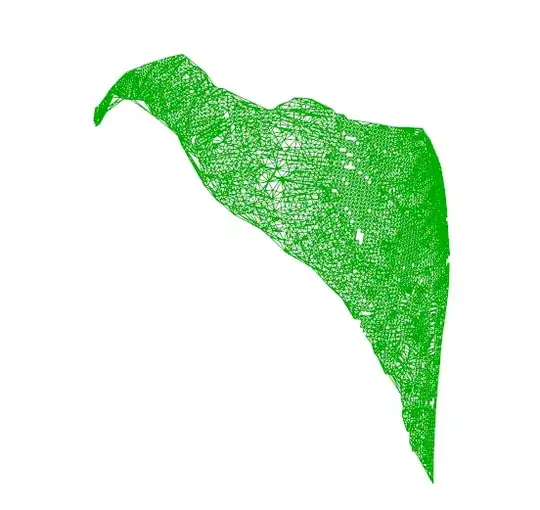
Here is the approximate area:
0.5 Area @ reg
11612.
Which is very close to 11522 (the value provided by the OP). Note that I'm dividing the total area by $2$ since the Area function will compute the areas of the cells on both sides of the image.
For the Image Gurus here:
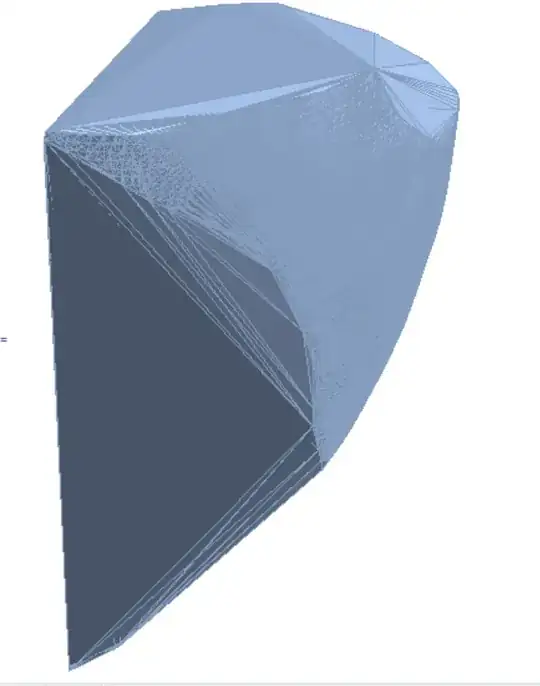
I would like to know if Mathematica can produce something as nice as the image posted in the question obtained from GeoImage.



DiscretizeGraphicsandTriangulateMesh. You should also provide a sample data if you want people to pay attention and provide help. – RunnyKine Jun 17 '15 at 22:34