55

Context

While studying manifold Learning I got interested in finding the eigenvectors of the Laplacian. (also in connection to this problem of solving the heat equation)

Following this and that amazing answer, I am interested in solving this Helmholtz equation in 3D

$ \triangledown^2 u(x,y,z) + k^2u(x,y,z) =0 \quad x,y,z \in \Omega\,, \quad u(x,y,z) = 0 \quad {\rm with}\quad x,y,z \in \partial\Omega $

where $\Omega =$ is some 3D boundary e.g. a ball, an ellipsoid, a regular 3D polygon etc.


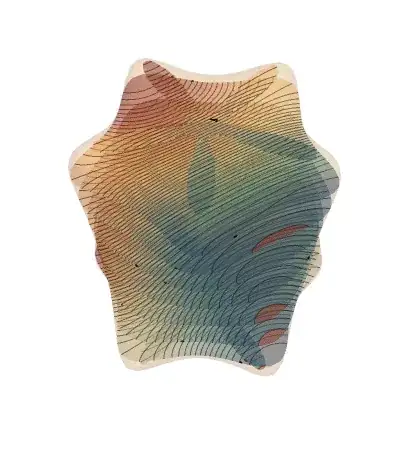
I have played around with the 2D codes provided here to produce these first eigen modes of a snowflake (again beautiful code!):
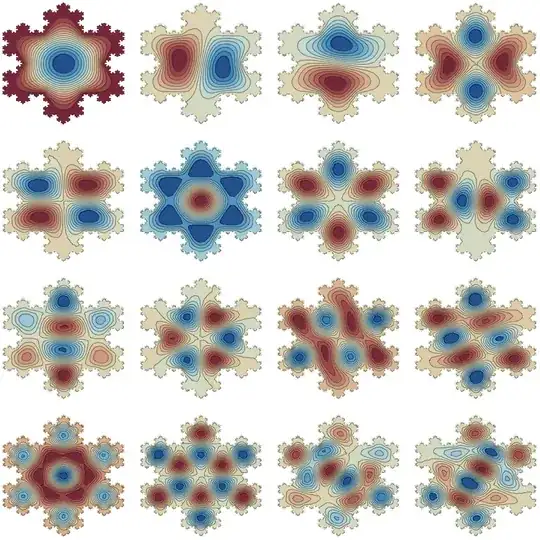
Mathematica graphics

They look like this and are super-cool!
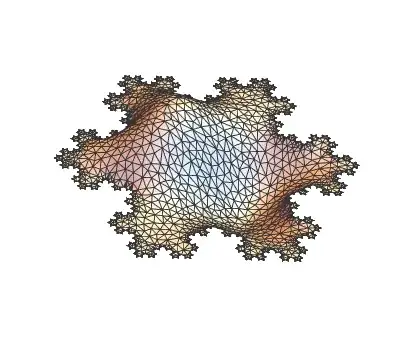
Imgur

but I would like to generalize their answer to 3D.


Question

How would one proceed in 3D, given that we have a 2D solution working?


Cheeky Attempt

I have modified slightly Mark McClure's code to make it 3D savvy, but I am no expert in this field

Needs["NDSolve`FEM`"];
helmholzSolve3D[g_, numEigenToCompute_Integer, 
  opts : OptionsPattern[]] := 
 Module[{u, x, y, z, t, pde, dirichletCondition, mesh, boundaryMesh, 
   nr, state, femdata, initBCs, methodData, initCoeffs, vd, sd, 
   discretePDE, discreteBCs, load, stiffness, damping, pos, nDiri, 
   numEigen, res, eigenValues, eigenVectors, 
   evIF},(*Discretize the region*)
  If[Head[g] === ImplicitRegion || Head[g] === ParametricRegion, 
   mesh = ToElementMesh[DiscretizeRegion[g], opts], 
   mesh = ToElementMesh[DiscretizeGraphics[g], opts]];
  boundaryMesh = ToBoundaryMesh[mesh];
  (*Set up the PDE and boundary condition*)
  pde = D[u[t, x, y, z], t] - Laplacian[u[t, x, y, z], {x, y, z}] + 
     u[t, x, y, z] == 0;
  dirichletCondition = DirichletCondition[u[t, x, y, z] == 0, True];
  (*Pre-process the equations to obtain the FiniteElementData in \
StateData*)nr = ToNumericalRegion[mesh];
  {state} = 
   NDSolve`ProcessEquations[{pde, dirichletCondition, 
     u[0, x, y, z] == 0}, u, {t, 0, 1}, Element[{x, y, z}, nr]];
  femdata = state["FiniteElementData"];
  initBCs = femdata["BoundaryConditionData"];
  methodData = femdata["FEMMethodData"];
  initCoeffs = femdata["PDECoefficientData"];
  (*Set up the solution*)vd = methodData["VariableData"];
  sd = NDSolve`SolutionData[{"Space" -> nr, "Time" -> 0.}];
  (*Discretize the PDE and boundary conditions*)
  discretePDE = DiscretizePDE[initCoeffs, methodData, sd];
  discreteBCs = 
   DiscretizeBoundaryConditions[initBCs, methodData, sd];
  (*Extract the relevant matrices and deploy the boundary conditions*)
  load = discretePDE["LoadVector"];
  stiffness = discretePDE["StiffnessMatrix"];
  damping = discretePDE["DampingMatrix"];
  DeployBoundaryConditions[{load, stiffness, damping}, discreteBCs];
  (*Set the number of eigenvalues ignoring the Dirichlet positions*)
  pos = discreteBCs["DirichletMatrix"]["NonzeroPositions"][[All, 2]];
  nDiri = Length[pos];
  numEigen = numEigenToCompute + nDiri;
  (*Solve the eigensystem*)
  res = Eigensystem[{stiffness, damping}, -numEigen];
  res = Reverse /@ res;
  eigenValues = res[[1, nDiri + 1 ;; Abs[numEigen]]];
  eigenVectors = res[[2, nDiri + 1 ;; Abs[numEigen]]];
  evIF = ElementMeshInterpolation[{mesh}, #] & /@ eigenVectors;
  (*Return the relevant information*){eigenValues, evIF, mesh}]

If I then define a 3D boundary

   Ω = ImplicitRegion[0 <= x^2 + y^2 + z^2 <= 1, {x, y, z}];
     RegionPlot3D[Ω, PlotStyle -> Opacity[0.5]]
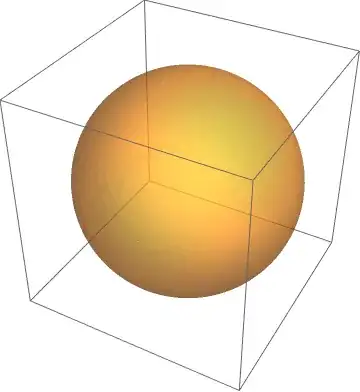
Mathematica graphics

Naively this should give me the eigenmode:

{ev, if, mesh} = helmholzSolve3D[Ω, 1];
ev

but it actually crashes the kernel Mathematica (10.0.2).

Could anyone confirm this as a first step?

NB: Please do not loose sleep over this problem as it is mostly driven by curiosity :-)

PS: On the other hand I personally think this stuff is truly one of the best new useful features of Mathematica 10!

chris
  • 22,860
  • 5
  • 60
  • 149
  • 1
    Regarding the spherically symmetric case: You're not going to get solutions that look like spherical harmonics, because solving the Dirichlet problem with FEM won't simultaneously solve the angular-momentum eigenvalue problem. Due to the degeneracies in a spherically symmetric system, the numerical solutions will be arbitrary linear combinations of spherical harmonics. You can see something analogous in the isotropic harmonic oscillator when solving with finite differences. One more reason not to use (Cartesian) FEM with spherical symmetry. – Jens May 29 '15 at 15:49
  • I realize this problem is not limited to the field of acoustics but I believe it is very applicable there, so I added a new tag. If you find it limiting or superfluous just remove it. (+1 by the way.) – Mr.Wizard May 29 '15 at 16:09
  • 1
    @Jens I was wondering about that. Thank you this is instructive for me. – chris May 29 '15 at 16:53
  • 1
    @Jens: do you understand why the eigen-modes above do not quite rely on the symmetry of the boundary condition? Why .e.g for the second vector the two bumps are slightly tilted relative to the symmetric pattern of the snowflake? – chris May 29 '15 at 17:01
  • 4
    @chris Absolutely. It's the same effect: the FEM solver has no knowledge about the discrete symmetry group of the boundary, which in this case is that of a hexagon, $D_{6h}$. Therefore, it cannot know how to label the eigenmodes by the irreducible representations of that group, and instead produces arbitrary linear combinations of them whenever there are degeneracies - which happens a lot here because $D_{6h}$ has two-dimensional irreducible representations (i.e., there are linearly independent, degenerate eigenfunctions related by symmetry operations). – Jens May 29 '15 at 17:25
  • 3
    So the clever way to approach such symmetric boundaries is to first reduce them to a fundamental domain with no remaining symmetries using the properties of the group. Essentially, the reflection axes then turn into boundaries with Dirichlet or Neumann conditions and you solve the wave problem only on a wedge-shaped segment of the hexagon. – Jens May 29 '15 at 17:29
  • @Jens thanks for this enlightening information. – chris May 29 '15 at 21:23
  • @Jens so to follow this case, a linear combination of the second and third mode might be following he symmetry of the boundary better, (and this can be spotted by the fact that they have the same eigenvalue) etc… ? – chris May 29 '15 at 21:25
  • 1
    Yes, that's correct. And you can always symmetrize the degenerate solutions after the computation. – Jens May 29 '15 at 21:50

2 Answers2

42

Version 11 has both symbolic and numeric eigensolvers, see here for an overview

Here is a slightly different way to do it. We write a function that converts any PDE (1D/2D/3D) into discretized system matices:

Needs["NDSolve`FEM`"]
PDEtoMatrix[{pde_, Γ___}, u_, r__, 
  o : OptionsPattern[NDSolve`ProcessEquations]] := 
 Module[{ndstate, feData, sd, bcData, methodData, pdeData},
  {ndstate} =
   NDSolve`ProcessEquations[Flatten[{pde, Γ}], u, 
    Sequence @@ {r}, o];
  sd = ndstate["SolutionData"][[1]];
  feData = ndstate["FiniteElementData"];
  pdeData = feData["PDECoefficientData"];
  bcData = feData["BoundaryConditionData"];
  methodData = feData["FEMMethodData"];
  {DiscretizePDE[pdeData, methodData, sd], 
   DiscretizeBoundaryConditions[bcData, methodData, sd], sd, 
   methodData}
  ]

Example 1: An eigensolver is then something like this:

     {dPDE, dBC, sd, md} = 
  PDEtoMatrix[{D[u[t, x, y], t] == Laplacian[u[t, x, y], {x, y}], 
    u[0, x, y] == 0, DirichletCondition[u[t, x, y] == 0, True]}, 
   u, {t, 0, 1}, {x, y} ∈ Rectangle[]];
l = dPDE["LoadVector"];
s = dPDE["StiffnessMatrix"];
d = dPDE["DampingMatrix"];
constraintMethod = "Remove";
DeployBoundaryConditions[{l, s, d}, dBC, 
  "ConstraintMethod" -> "Remove"];
First[es = Reverse /@ Eigensystem[{s, d}, -4, Method -> "Arnoldi"]]

If[constraintMethod === "Remove", 
  es[[2]] = 
    NDSolve`FEM`DirichletValueReinsertion[#, dBC] & /@ es[[2]];];

ifs = ElementMeshInterpolation[sd, #] & /@ es[[2]];
mesh = ifs[[2]]["ElementMesh"];
ContourPlot[#[x, y], {x, y} ∈ mesh, Frame -> False, 
   ColorFunction -> ColorData["RedBlueTones"]] & /@ ifs

Mathematica graphics

This can be encapsulated as follows:

Helmholtz2D[bdry_, order_] :=
 Module[{dPDE, dBC, sd, md, l, s, d, ifs, es, mesh, 
   constraintMethod},
  {dPDE, dBC, sd, md} = 
   PDEtoMatrix[{D[u[t, x, y], t] == Laplacian[u[t, x, y], {x, y}], 
     u[0, x, y] == 0, DirichletCondition[u[t, x, y] == 0, True]}, 
    u, {t, 0, 1}, {x, y} ∈ bdry];
  l = dPDE["LoadVector"];
  s = dPDE["StiffnessMatrix"];
  d = dPDE["DampingMatrix"];
  constraintMethod = "Remove";
  DeployBoundaryConditions[{l, s, d}, dBC, 
   "ConstraintMethod" -> "Remove"];
  First[es = Reverse /@ Eigensystem[{s, d}, -order, Method -> "Arnoldi"]]
   If[constraintMethod === "Remove", 
    es[[2]] = 
      NDSolve`FEM`DirichletValueReinsertion[#, dBC] & /@ es[[2]];];
  ifs = ElementMeshInterpolation[sd, #] & /@ es[[2]];
  mesh = ifs[[2]]["ElementMesh"];
  {es, ifs, mesh}
  ]

Example 2: The the remaining problem in the question can then be solved like this:

RR = ImplicitRegion[
   x^6 - 5 x^4 y z + 3 x^4 y^2 + 10 x^2 y^3 z + 3 x^2 y^4 - y^5 z + 
     y^6 + z^6 <= 
    1, {{x, -1.25, 1.25}, {y, -1.25, 1.25}, {z, -1.25, 1.25}}];
mesh = ToElementMesh[RR, 
  "BoundaryMeshGenerator" -> {"RegionPlot", "SamplePoints" -> 31}]

mesh["Wireframe"]

enter image description here

This creates a second order mesh with about 80T tets and 140T nodes. To discretize the PDE we use:

AbsoluteTiming[{dPDE, dBC, sd, md} = 
   PDEtoMatrix[{D[u[t, x, y, z], t] == 
      Laplacian[u[t, x, y, z], {x, y, z}], u[0, x, y, z] == 0, 
     DirichletCondition[u[t, x, y, z] == 0, True]}, 
    u, {t, 0, 1}, {x, y, z} ∈ mesh];
 ]
{6.24463, Null}

Get the eigenvalues and vectors:

l = dPDE["LoadVector"];
s = dPDE["StiffnessMatrix"];
d = dPDE["DampingMatrix"];
DeployBoundaryConditions[{l, s, d}, dBC, 
  "ConstraintMethod" -> "Remove"];
AbsoluteTiming[
 First[es = Reverse /@ Eigensystem[{s, d}, -4, Method -> "Arnoldi"]]
 ]
{13.484131`, {8.396796994677874`, 16.044484716974942`, 
  17.453692912770126`, 17.45703443132916`}}

Post process / visualize:

ifs = ElementMeshInterpolation[sd, #, 
     "ExtrapolationHandler" -> {(Indeterminate &),
              "WarningMessage" -> False}] & /@ es[[2]];

Generate slices of the eigenfunctions in the region:

ctrs = Range @@ 
   Join[mm = 
     MinMax[ifs[[2]]["ValuesOnGrid"]], {Abs[Subtract @@ mm]/50}];
levels = Range[-1.25, 1.25, 0.25];
res = ContourPlot[
     ifs[[2]][x, y, #], {x, -1.25, 1.25}, {y, -1.25, 1.25}, 
     Frame -> False, ColorFunction -> ColorData["RedBlueTones"], 
     Contours -> ctrs] & /@ levels;
Show[{
  RegionPlot3D[RR, PlotPoints -> 31, 
   PlotStyle -> Directive[Opacity[0.25]]],
  Graphics3D[{Opacity[0.25], Flatten[MapThread[
      Function[{gr, l}, 
       Cases[gr, _GraphicsComplex] /. 
        GraphicsComplex[coords_, rest__] :> 
         GraphicsComplex[
          Join[coords, ConstantArray[{l}, {Length[coords]}], 2], 
          rest]],
      {res, levels}]]}]
  }, Boxed -> False, Background -> Gray]

enter image description here

Imgur

Example 3: As a self contained example, let us encapsulate the Helmholtz solver

 Helmholtz3D[bdry_, order_] :=   
     Module[{dPDE, dBC, sd, md, l, s, d, ifs, es, mesh, 
       constraintMethod},
      {dPDE, dBC, sd, md} = 
       PDEtoMatrix[{D[u[t, x, y, z], t] == 
          Laplacian[u[t, x, y, z], {x, y, z}], u[0, x, y, z] == 0, 
         DirichletCondition[u[t, x, y, z] == 0, True]}, 
        u, {t, 0, 1}, {x, y, z} ∈ bdry];
      l = dPDE["LoadVector"];
      s = dPDE["StiffnessMatrix"];
      d = dPDE["DampingMatrix"];
      constraintMethod = "Remove";
      DeployBoundaryConditions[{l, s, d}, dBC, 
       "ConstraintMethod" -> "Remove"];
      First[es = Reverse /@ Eigensystem[{s, d}, -4, Method -> "Arnoldi"]]
       If[constraintMethod === "Remove", 
        es[[2]] = 
          NDSolve`FEM`DirichletValueReinsertion[#, dBC] & /@ es[[2]];];
      ifs = ElementMeshInterpolation[sd, #] & /@ es[[2]];
      mesh = ifs[[2]]["ElementMesh"];
      {es, ifs, mesh}
      ]

and consider

RR = ImplicitRegion[
  x^4 + y^4 + z^4 < 1, {{x, -1, 1}, {y, -1, 1}, {z, -1, 1}}]

{es, ifs, mesh} = Helmholtz3D[RR, nm=4];
mm = MinMax[ifs[[nm]]["ValuesOnGrid"]];
Map[{Opacity[0.4], PointSize[0.01], 
ColorData["Heat"][0.3 + 1/mm[[2]] ifs[[nm]][Sequence @@ #]], 
Point[#]} &, mesh["Coordinates"]] // 
 Graphics3D[#, Boxed -> False] &

Imgur

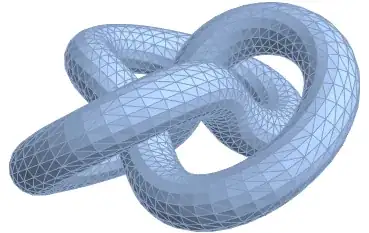
Example 4 Eigen modes on 3D Knot

Needs["NDSolve`FEM`"]
f[t_] := With[{s = 3 t/2}, {(2 + Cos[s]) Cos[t], (2 + Cos[s]) Sin[t], 
    Sin[s]} - {2, 0, 0}]
v1[t_] := Cross[f'[t], {0, 0, 1}] // Normalize
v2[t_] := Cross[f'[t], v1[t]] // Normalize
g[t_, θ_] := 
 f[t] + (Cos[θ] v1[t] + Sin[θ] v2[t])/2
gr = ParametricPlot3D[
   Evaluate@g[t, θ], {t, 0, 4 Pi}, {θ, 0, 2 Pi}, 
   Mesh -> None, MaxRecursion -> 4, Boxed -> False, Axes -> False];
tscale = 4; θscale = 0.5;(*scale roughly proportional to \
speeds*)dom = 
 ToElementMesh[
  FullRegion[2], {{0, tscale}, {0, θscale}},(*domain*)
  MaxCellMeasure -> {"Area" -> 0.001}];
coords = g[4 Pi #1/tscale, 2 Pi #2/θscale] & @@@ 
  dom["Coordinates"];(*apply g*)bmesh2 = 
 ToBoundaryMesh["Coordinates" -> coords, 
  "BoundaryElements" -> dom["MeshElements"]];
emesh2 = ToElementMesh@bmesh2;
RR = MeshRegion@emesh2

Mathematica graphics

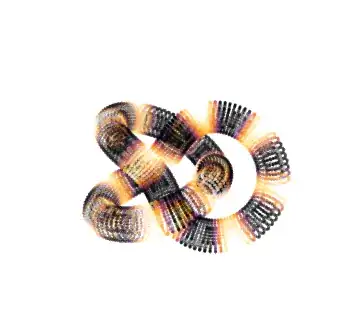
{es, ifs, mesh} = Helmholtz3D[RR, nm = 4];

then

mm = MinMax[ifs[[nm]]["ValuesOnGrid"]];
Map[{Opacity[0.4], PointSize[0.01], 
    ColorData["Heat"][0.3 + 1/mm[[2]] ifs[[nm]][Sequence @@ #]],
    Point[#]} &, emesh2["Coordinates"]] // 
 Graphics3D[#, Boxed -> False] &

Mathematica graphics

user21
  • 39,710
  • 8
  • 110
  • 167
  • @chris, added pictures and yes, this gives you an eigenmode. If it does not, have look if the ElementMeshInterpolation constructs the interpolating functions. – user21 Jun 11 '15 at 12:00
  • actually it was a matter of version of mathematica: your code works with 10.1 not with 10.0.2. – chris Jun 11 '15 at 12:35
  • @chris, yes, I happen to have 10.1. – user21 Jun 11 '15 at 12:37
  • @chris, also note that I solve a different PDE, perhaps that's the source of the hermetian issue you see. Not sure. – user21 Jun 11 '15 at 12:38
  • I hope you don't mind the extra example: otherwise erase it. There might be a better way to sample the interpolation function than what I used here? – chris Jun 11 '15 at 14:00
  • @Jens you like better the heat mode of the heart :-) ? – chris Jun 11 '15 at 20:40
  • @chris Since you asked the question, you can add examples to your heart's content. – Jens Jun 11 '15 at 20:50
  • Looking more carefully, Dirichlet boundary conditions are not satisfied in the example where they are actually specified: the 6th degree polynomial region. The contour plots of the slices don't hug the surface as they should for Dirichlet conditions. The other examples have free boundaries anyway. But the question was about Dirichlet conditions, so there is something missing here. – Jens Jun 11 '15 at 21:34
  • @Jens may be this has to do with the fact that user21 says his method does not specifically solve Helmholtz equation's but more general class of PDE? I must say I don't really understand what exactly it does. It seems to solve for a diffusion equation? – chris Jun 11 '15 at 21:44
  • @Jens does your comment only apply to 3D or 2D as well? Because it might have to do with representation? Image3D deals with some level of transparency which might be visually misleading? – chris Jun 11 '15 at 21:47
  • 1
    @chris I don't think it's a simple representation issue, and it's not just a diffusion equation. The Eigensystem step should yield the Helmholtz eigenvalues, but the boundary conditions aren't accounted for. If I understand correctly, the problem is simply that the result of DiscretizeBoundaryConditions is never actually used in setting up the matrices. What's missing is DeployBoundaryConditions. – Jens Jun 11 '15 at 22:01
  • 1
    @Jens that sounds like a more serious problem… so we are solving the PDE on the mesh but not satisfying the proper boundary condition at the edge of the mesh. It did strike me a bit when I look at the eigenmodes of the maps of France that somehow the borders seem to have little impact on their shape. – chris Jun 11 '15 at 22:58
  • @Jens, well spotted. I added code for the DirichletConditions. I chose to remove them for the eigensystem computation and then reinsert them. This also solved the problem @chris was seeing with the matrices not being hermetian. Normaly Dirichlet conditions are not inserted symmetrically but removing them maints the symmetry of the matrices. – user21 Jun 12 '15 at 07:34
  • @chris, you have been busy adding examples :-) – user21 Jun 12 '15 at 08:34
  • @user21 well I had other important things to do… so this is what I did instead! its called pro-active procrastination ! – chris Jun 12 '15 at 08:38
  • @chris, I'll keep that phrase in mind for my next progress report.... – user21 Jun 12 '15 at 08:44
  • @chris, these are fixed in the updated code that now actually makes use of the DirichletConditions. At least those are the objections Jens raised that I saw. – user21 Jun 12 '15 at 08:54
  • @user21 It seems your solution does not satisfy its boundary condition: e.g. on the (Example 1) Rectangle[] example: Plot[#[x, 0] & /@ ifs // Evaluate, {x, 0, 1}] – chris Jun 13 '15 at 20:01
  • @chris, example 1 does not have any DirichletCondition boundary conditions. I am not sure what you expect. – user21 Jun 15 '15 at 06:55
  • It seems your answer, which is very fast does not answer the original question since I was after $u(x,y,z)=0$ for $(x,y,z)\in \partial \Omega$. – chris Jun 15 '15 at 07:03
  • @Chris, just add a DirichletCondition[u[x,y]==0,True] to the equation. – user21 Jun 15 '15 at 07:07
  • @chris, you need to add the Dirichlet condition and not remove the intial condition: {dPDE, dBC, sd, md} = PDEtoMatrix[{D[u[t, x, y], t] == Laplacian[u[t, x, y], {x, y}], u[0, x, y] == 0, DirichletCondition[u[t, x, y] == 0, True]}, u, {t, 0, 1}, {x, y} \[Element] Rectangle[]] - Chris, have a look in the documentation about how to set up PDEs there are many examples that explain how to set up time dependent PDEs. – user21 Jun 15 '15 at 08:13
  • @Chris, sure if you could make that update, that would be great. – user21 Jun 15 '15 at 08:17
  • @chris, no worries. PDEs are a fascinating topic, I'd just like to encourage you to dive into that topic a deeper and there is quite a bit of documentation. – user21 Jun 15 '15 at 08:18
  • Sorry to bother you again: I am confused why is the PDE not involving D[u[t, x, y], t] == Laplacian[u[t, x, y], {x, y}]-u[t,x,y] i.e. why does it not have u[t,x,y] on the r.h.s. ? – chris Jun 15 '15 at 11:03
20

This slightly modified function

 Needs["NDSolve`FEM`"];
    helmholzSolve3D[g_, numEigenToCompute_Integer, 
      opts : OptionsPattern[]] := 
     Module[{u, x, y, z, t, pde, dirichletCondition, mesh, boundaryMesh, 
       nr, state, femdata, initBCs, methodData, initCoeffs, vd, sd, 
       discretePDE, discreteBCs, load, stiffness, damping, pos, nDiri, 
       numEigen, res, eigenValues, eigenVectors, 
       evIF},(*Discretize the region*)
      If[Head[g] === ImplicitRegion || Head[g] === ParametricRegion, 
       mesh = ToElementMesh[DiscretizeRegion[g,opts], opts], 
       mesh = ToElementMesh[DiscretizeGraphics[g,opts], opts]];
      boundaryMesh = ToBoundaryMesh[mesh];
      (*Set up the PDE and boundary condition*)
      pde = D[u[t, x, y, z], t] - Laplacian[u[t, x, y, z], {x, y, z}] + 
         u[t, x, y, z] == 0;
      dirichletCondition = DirichletCondition[u[t, x, y, z] == 0, True];
      (*Pre-process the equations to obtain the FiniteElementData in \
    StateData*)nr = ToNumericalRegion[mesh];
      {state} = 
       NDSolve`ProcessEquations[{pde, dirichletCondition, 
         u[0, x, y, z] == 0}, u, {t, 0, 1}, Element[{x, y, z}, nr]];
      femdata = state["FiniteElementData"];
      initBCs = femdata["BoundaryConditionData"];
      methodData = femdata["FEMMethodData"];
      initCoeffs = femdata["PDECoefficientData"];
      (*Set up the solution*)vd = methodData["VariableData"];
      sd = NDSolve`SolutionData[{"Space" -> nr, "Time" -> 0.}];
      (*Discretize the PDE and boundary conditions*)
      discretePDE = DiscretizePDE[initCoeffs, methodData, sd];
      discreteBCs = 
       DiscretizeBoundaryConditions[initBCs, methodData, sd];
      (*Extract the relevant matrices and deploy the boundary conditions*)
      load = discretePDE["LoadVector"];
      stiffness = discretePDE["StiffnessMatrix"];
      damping = discretePDE["DampingMatrix"];
      DeployBoundaryConditions[{load, stiffness, damping}, discreteBCs];
      (*Set the number of eigenvalues ignoring the Dirichlet positions*)
      pos = discreteBCs["DirichletMatrix"]["NonzeroPositions"][[All, 2]];
      nDiri = Length[pos];
      numEigen = numEigenToCompute + nDiri;
      (*Solve the eigensystem*)
      res = Eigensystem[{stiffness, damping}, -numEigen];
      res = Reverse /@ res;
      eigenValues = res[[1, nDiri + 1 ;; Abs[numEigen]]];
      eigenVectors = res[[2, nDiri + 1 ;; Abs[numEigen]]];
      evIF = ElementMeshInterpolation[{mesh}, #] & /@ eigenVectors;
      (*Return the relevant information*){eigenValues, evIF, mesh}]

works;

For a cuboid

 {ev, if, mesh} =  helmholzSolve3D[Cuboid[], 4, MaxCellMeasure -> .05,  AccuracyGoal -> 2];
 ev

(* {38.2695,85.4791} *)

so that if we look at cross sections

Table[ContourPlot[if[[i]][x, y, 0.5], {x, 0, 1}, {y, 0, 1}],
{i, 4}] // Partition[#, 2] & // GraphicsGrid

Imgur

or in 3D

Table[ContourPlot3D[if[[i]][x, y, z], {x, 0, 1}, {y, 0, 1}, {z, 0, 1},
 Contours -> {-1/4, 1/4}],{i,4}]

Imgur

We can the boost up the resolution and look at higher order eigenmodes

{ev, if, mesh} = 
 helmholzSolve3D[Cuboid[], 12, MaxCellMeasure -> 0.0025, 
  "MaxBoundaryCellMeasure" -> 0.025]; Table[
 ContourPlot[if[[i]][x, y, 0.5], {x, 0, 1}, {y, 0, 1},
  Frame -> False, ColorFunction -> ColorData["RedBlueTones"]],

Imgur

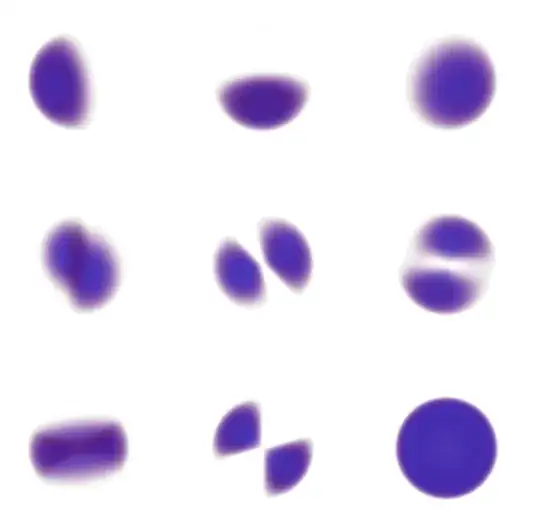
Table[Image3D[
    Table[if[[i]][x, y, z], {x, 0, 1, 0.025}, {y, 0, 1, 0.025}, {z, 0,
       1, 0.025}], ColorFunction -> "RainbowOpacity"],
   {i, 1, 9}] // Partition[#, 3] & // GraphicsGrid

Imgur

For a ball

{ev, if, mesh} = helmholzSolve3D[Ball[], 12, MaxCellMeasure -> 0.025];

Then

  Table[ContourPlot[if[[i]][x, y, 0.], {x, -1, 1}, {y, -1, 1},
    RegionFunction -> Function[{x, y}, Sqrt[x^2 + y^2] <= 1],
    Frame -> False, Axes -> False, 
    ColorFunction -> ColorData["RedBlueTones"]],
   {i, 12}] // Partition[#, 2] & // GraphicsGrid

Mathematica graphics

Table[Image3D[
    Table[If[x^2 + y^2 + z^2 < 1, if[[i]][x, y, z], 0], {x, -1, 1, 
      0.025}, {y, -1, 1, 0.025}, {z, -1, 1, 0.025}], 
    ColorFunction -> "RainbowOpacity"],
   {i, 2, 11}] // Partition[#, 3] & // GraphicsGrid

Imgur

It also works for, say a cone

  {ev, if, mesh} = helmholzSolve3D[Cone[], 4, MaxCellMeasure -> 0.25]

Ellipsoid

{ev, if, mesh} = 
 helmholzSolve3D[Ellipsoid[{0, 0, 0}, {1, 2, 3}], 4, 
  MaxCellMeasure -> 0.025]

Table[ContourPlot[if[[i]][x, y, 0.1], {x, -1, 1}, {y, -2, 2}, 
  RegionFunction -> Function[{x, y}, x^2/1 + y^2/2^2 < 1],
  Frame -> False, ColorFunction -> ColorData["RedBlueTones"], 
  AspectRatio -> 1/2],
 {i, 1, 4}]

Mathematica graphics

Arbitrary boundary

It should work on say this cool boundary

RR = ImplicitRegion[
   x^6 - 5 x^4 y z + 3 x^4 y^2 + 10 x^2 y^3 z + 3 x^2 y^4 - y^5 z + 
     y^6 + z^6 <= 1, {x, y, z}];

Mathematica graphics

But unfortunately not with mathematica 10.0.2 because of this bug

If someone with 10.1 care to try this?

{ev, if, mesh} = helmholzSolve3D[RR, 4, MaxCellMeasure -> 0.25]

I get

MathKernel: /Jenkins/workspace/Component.TetGenLink.Linux-x86-64.10.0/Mathematica/Paclets/TetGenLink/CSource/TetGen/tetgen.cxx:19959: tetgenmesh::interresult tetgenmesh::scoutsubface(tetgenmesh::face*, tetgenmesh::triface*, int): Assertion `checksh.sh == dummysh' failed.

Update

with Mathematica 10.2 It just crashes the kernel.

chris
  • 22,860
  • 5
  • 60
  • 149
  • I think I get "TetGenTetrahedralize::reterr: Tetrahedralize returned an error, 3." Not really sure that everything loaded correctly, though I do get some nice images. – Jacob Akkerboom Jun 09 '15 at 21:05
  • On 10.1, that is. – Jacob Akkerboom Jun 10 '15 at 09:28
  • 1
    Very nice! To speed things up a bit you might want to use "Method" -> Arnoldi in Eigensystem. – user21 Jun 10 '15 at 19:13
  • @user21 it is much faster! you meant : Method -> "Arnoldi " I assume. – chris Jun 11 '15 at 08:12
  • Ah, yes, of course. With this you should be able use finer meshes in 3D as well. – user21 Jun 11 '15 at 08:17
  • @JacobAkkerboom could you please put such image somewhere I could grab and put here? – chris Jun 11 '15 at 08:20
  • @user21 with this method it does complain that my matrix is not hermitian. – chris Jun 11 '15 at 08:33
  • @chris (if you remind me) I will try again later. I must say that I was not being very clear. I ran all your code in your answer, blindly copy pasting. There were some error messages in some places, in particular in the evaluation of the last line {ev, if, mesh} = helmholzSolve3D[RR, 4, MaxCellMeasure -> 0.25], where I got the error that I posted. I did not get any image for the last line. I may have been too impatient in rendering images, waiting at most 30 seconds or so for each. Possibly you could include timings? – Jacob Akkerboom Jun 11 '15 at 10:35
  • @chris (+1). This code working even with version 12 and 12.1. – Alex Trounev Sep 16 '20 at 23:46